Work time record. As PDF.
Create your monthly hour record as a PDF – complete, clear and offline.
A work time record (timesheet) documents how many hours you worked on each day of the month – start, end, breaks and the daily total. The free generator below creates a clean, printable PDF in seconds, right in your browser.
Create your timesheet as PDF
Enter your hours for the month and download a clean, printable PDF in one click – free and right in your browser.
What belongs in a work time record?
- Name of the employee (and employer, if required)
- The month and year the record covers
- Date and weekday of each working day
- Start and end time of each shift
- Break duration
- Daily total and the monthly sum of hours
- A line for signatures
Exact requirements vary by country and employer – check what yours expects. This tool is a general aid, not legal advice.
PDF export
Export your work time record as a professional PDF document.
Ready to print
Print the record straight from the share menu, save it to Files or send it by email.
Monthly calendar
Your entire month as a clear calendar with all entries.
Complete documentation
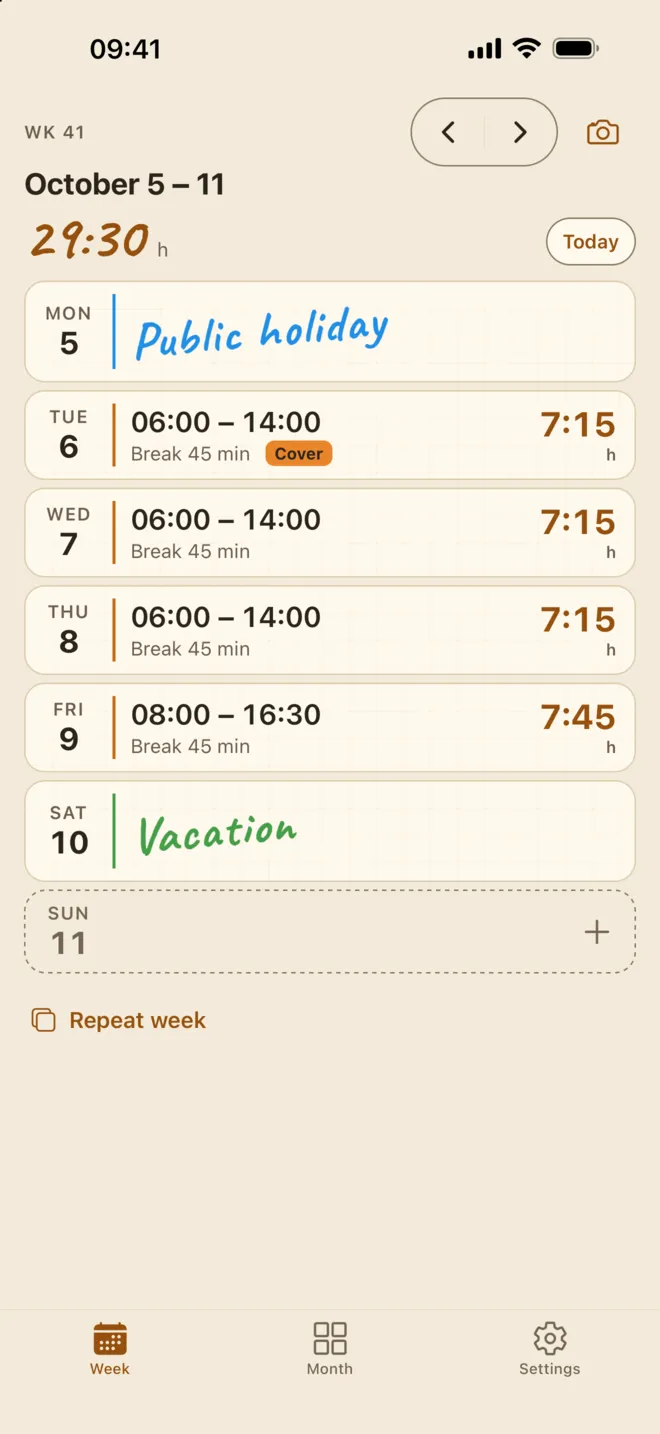
All work hours, breaks, absences and surcharges documented without gaps.
Check it against your payslip
Hold your own totals next to what you were paid – the record is your evidence if they differ.
Kept by you
The record is yours, not your employer's. You decide what to export and who sees it.
Offline & secure
Your data stays on your iPhone with automatic backups – with Premium also in your own iCloud Drive. No Taime server.
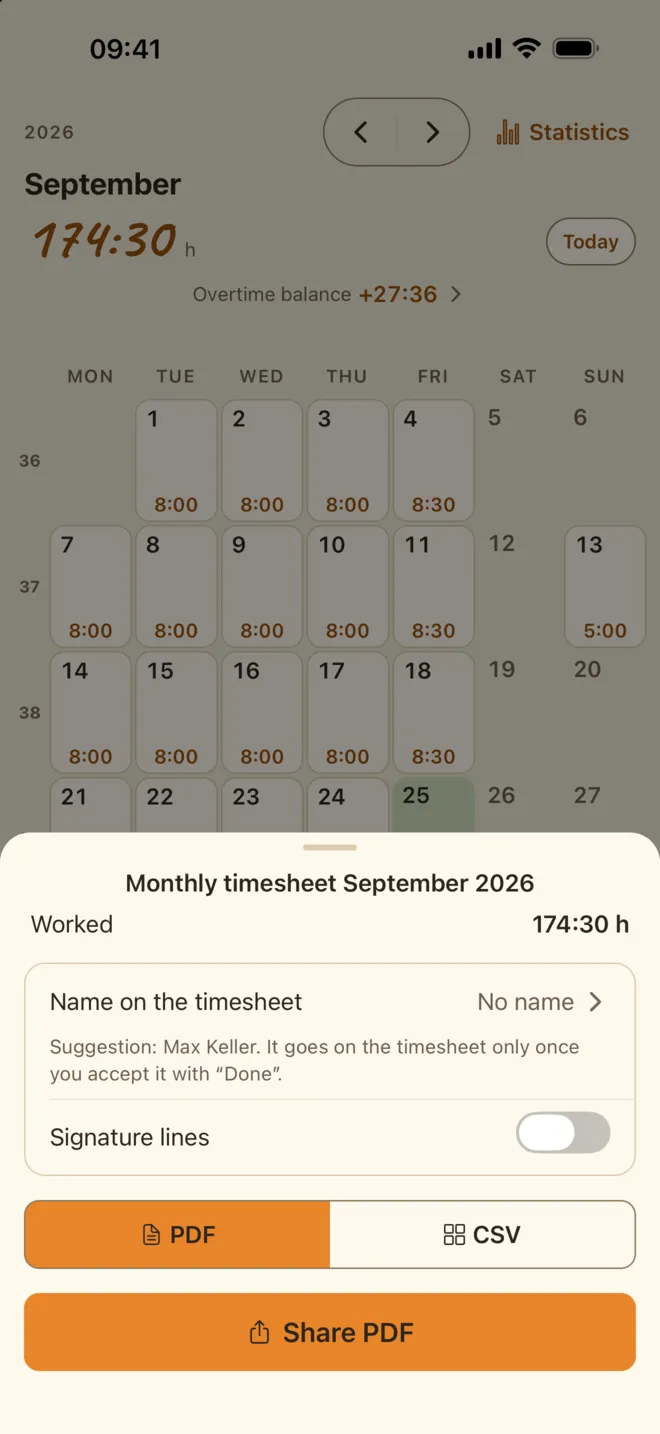
Monthly timesheet as a PDF
Your own record of the month, to keep and to check your payslip against. Free with a small Taime note at the end; Premium leaves it off.
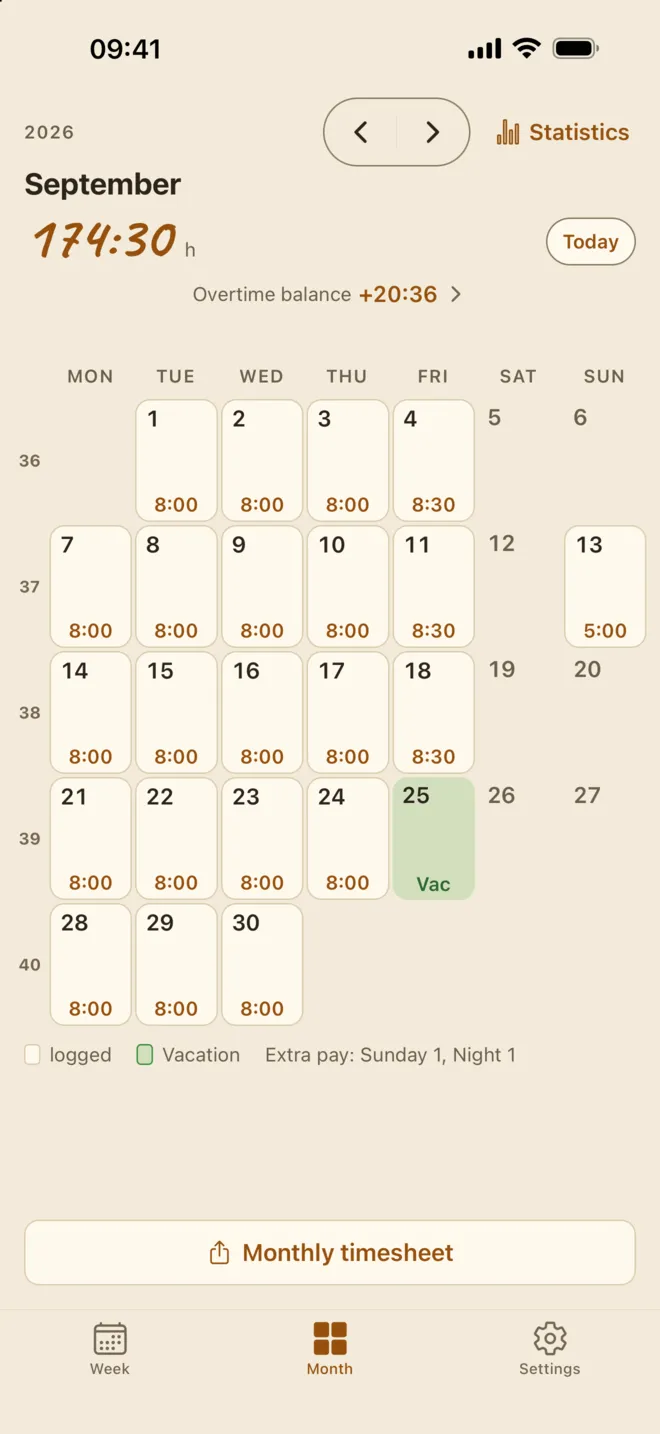
Month view
Your month as a calendar with the hours of every day, vacation and extra pay – the basis for your monthly timesheet.
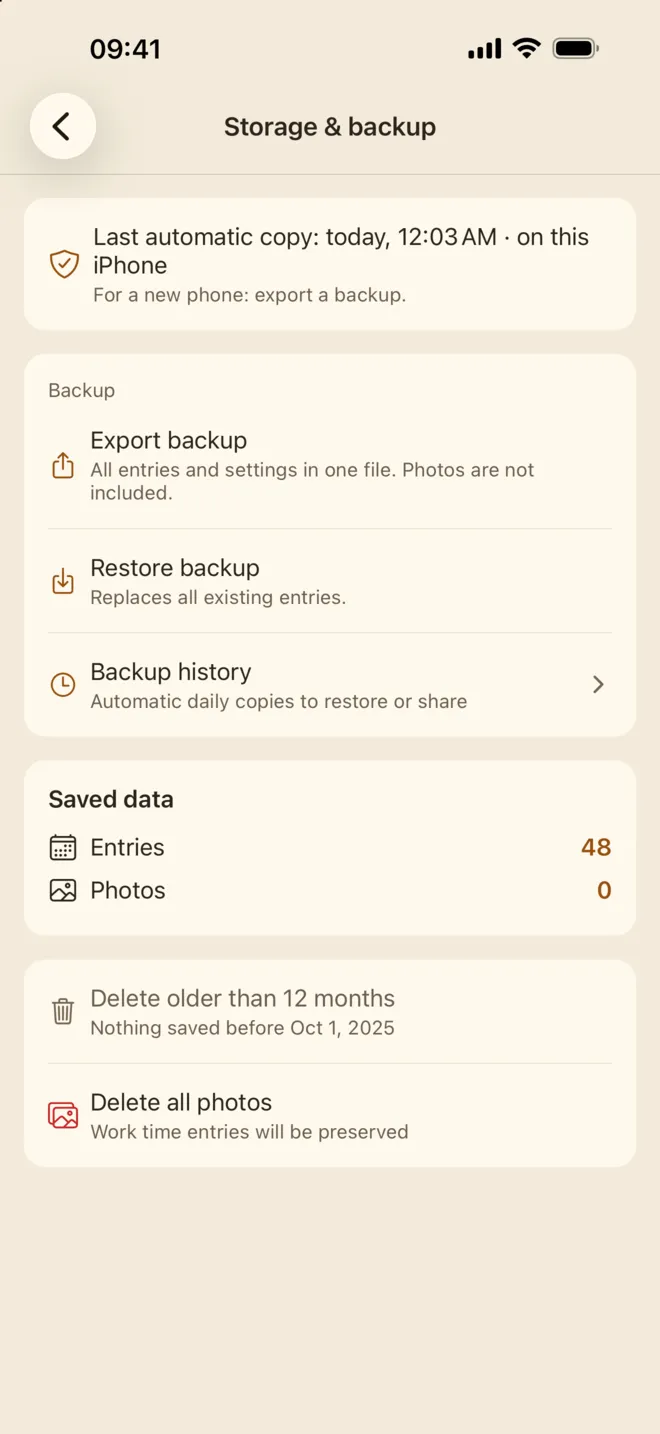
Your data stays with you
No account needed: your entries live on your iPhone, not with us, with automatic backups. With Premium, backups also go to your own iCloud Drive.
Frequently Asked Questions
Is Taime free?
Yes, logging is completely free: shifts, breaks and break rules, absences and extra pay (Sunday, holiday, night, cover) including your own types, your overtime balance, week and month views, statistics for this week, this month and last month, photo your schedule with auto-apply (20 photos free), a daily reminder, automatic backups on your iPhone and the monthly PDF with a small Taime note at the end. No ads, no account. Taime Premium adds earnings including extra pay, statistics across all months (older weeks and months, quarters and years), the PDF without the note, CSV export, photos past 20, nine more colour schemes, a shift-end reminder, calendar export, backups in your own iCloud Drive, and the Lock Screen timer, Siri and larger widgets.
How do I create a work time record?
Log your hours daily and export the month as a PDF – your record is ready.
What format is the export?
Taime exports as a PDF document that you can share or print directly.
Can I print the record?
Yes. Open the export and print it from the share menu, or save it to Files and print later. The layout is designed for a single sheet per month.
What does the record contain?
Date and weekday for every working day, start and end time, breaks, the daily total, absences and surcharges, plus the monthly total. Your name appears at the top if you add it, signature lines are optional, and days you have not confirmed yet are marked.
Can I use it to check my payslip?
Yes. Compare your monthly total and your tagged surcharges against what your employer paid. If the two do not match, your export is your own documentation. This is not legal advice.
Is the record legally valid?
The PDF export fully documents your work hours, and a contemporaneous record kept day by day carries more weight than hours reconstructed from memory. Requirements differ by country and employer, so check what applies to you. This is not legal advice.
Is my data safe?
Yes. All data stays on your iPhone and is backed up automatically – with Premium also to your own iCloud Drive. No account, no Taime server, no tracking.
Is Taime available on Android?
The iPhone app is live on the App Store. Android is in closed testing on Google Play: join the tester group with your Google account, then open the test link and install Taime from Google Play. There is no public Play Store download.
Android testers wanted
Taime for Android is in Google Play closed testing – not a public launch. Joining takes three steps, and all you need is the Google account signed in on your Android phone.
-
Join the Google Group
Join the tester group with the Google account that is signed in on your Android phone. Being in the group is what gives you access to the test.
Open the Google Group -
Become a tester
Open the test link on that phone and tap “Become a tester”. That signs you up for the test.
Open the test link -
Install from Google Play
Then find Taime on Google Play and install it as usual.

One request: please keep the app installed for at least 14 days. Google needs the test to run that long before Taime can go public on Google Play.
Google Play and the Google Play logo are trademarks of Google LLC.
Start counting today.
Every hour you log from today is an hour you can prove later. Free on the App Store, no ads and no account.