Timesheet Template as PDF
Download a blank monthly timesheet as a PDF and fill it in by hand – or enter your hours right here and download the finished record. Free, no sign-up, no ads.
Every template covers one calendar month with weekdays, start, end and break columns, daily and monthly totals and signature lines – built for hourly, part-time and shift work.
Download a blank template
Pick the month – the template includes every day with its weekday, columns for start, end and break, shaded weekends and signature fields. Ready to print and fill in by hand.
Your data stays with you
- Runs entirely in your browser – nothing is uploaded. Your entries are saved only in this browser.
- No sign-up, no email address required.
- No ads, no cookies, no data shared with third parties – only anonymous, self-hosted visitor statistics.
Or fill it in online
If you already know your hours, enter them here – totals are calculated automatically and you get a clean, finished record as a PDF.
Free timesheet PDF generator
| Date | Start | End | Break (min) | Total |
|---|---|---|---|---|
| 01 Thu | ||||
| 02 Fri | ||||
| 03 Sat | ||||
| 04 Sun | ||||
| 05 Mon | ||||
| 06 Tue | ||||
| 07 Wed | ||||
| 08 Thu | ||||
| 09 Fri | ||||
| 10 Sat | ||||
| 11 Sun | ||||
| 12 Mon | ||||
| 13 Tue | ||||
| 14 Wed | ||||
| 15 Thu | ||||
| 16 Fri | ||||
| 17 Sat | ||||
| 18 Sun | ||||
| 19 Mon | ||||
| 20 Tue | ||||
| 21 Wed | ||||
| 22 Thu | ||||
| 23 Fri | ||||
| 24 Sat | ||||
| 25 Sun | ||||
| 26 Mon | ||||
| 27 Tue | ||||
| 28 Wed | ||||
| 29 Thu | ||||
| 30 Fri | ||||
| 31 Sat |
Total hours: 0:00
Your entries are saved only in this browser, separately for each month. Nothing is uploaded.
Keeping a timesheet: what to know
Why keep your own record?
In most countries the employer is responsible for tracking working time – in the US the FLSA requires employers to keep records of hours worked, and in the EU employers must operate a time-recording system following the 2019 European Court of Justice ruling. But your own record is what protects you when overtime is disputed or a payslip does not match the hours you actually worked.
What a complete timesheet contains
A solid record includes: your name, the month and year, and for each working day the date, start time, end time and breaks, plus daily and monthly totals. Signature fields for employee and employer make the document more credible as evidence. This template includes all of these fields.
Paper or digital?
A printed sheet works well if you note hours at a pinboard or in a break room; a digital record is easier to total up and harder to lose. Whichever you choose, consistency matters most: record your times daily, not from memory at the end of the month. This page is general guidance, not legal advice.
How to fill in a timesheet, with examples
Write each day down on the day you work it. Hours for the day are end time minus start time minus unpaid break. Three typical rows:
| Day | Start | End | Break | Hours |
|---|---|---|---|---|
| Mon, early shift | 06:00 | 14:30 | 30 min | 8:00 |
| Wed, split shift | 10:00 | 22:00 | 3 h | 9:00 |
| Fri, night shift | 22:00 | 06:00 | 45 min | 7:15 |
- Night shifts: put them on the row of the day they start. The online generator on this page counts an end time after midnight as the next day automatically.
- Split shifts: record the unpaid gap as the break, so start and end show the full working day.
- Leave and sickness: leave the times empty and write a short code such as H (holiday) or S (sick) in the row.
- Hours and minutes vs decimals: 7:15 means seven hours fifteen minutes, which is 7.25 in decimal hours. Payroll often uses decimals – do not mix the two in one column.
Rounding, breaks and the minutes that go missing
Many time clocks round punches. In the US, rounding to the nearest five minutes, tenth or quarter of an hour is allowed only if, over time, it does not shortchange employees – it has to work both ways. A rule that always rounds start times up and end times down is not neutral.
Breaks are the other common gap. Under US federal rules, short breaks of about 5 to 20 minutes count as paid work time, and a meal break is only unpaid if you are fully relieved of duty. In the UK, a worker on a shift of more than six hours is entitled to a 20-minute rest break. If an automatic break deduction runs on days you did not get one, your timesheet is where that shows up.
Weekly or monthly timesheet?
US overtime is counted per workweek: a fixed, recurring seven-day period set by the employer. A monthly sheet still works, but add up each week separately before you compare it with your pay stub, and note where your workweek starts. Hours cannot be averaged across two weeks to avoid overtime.
Example (illustration)
Week one: 46 hours, week two: 34 hours – 80 hours in two weeks. Averaged, that looks like a normal 40-hour schedule. Counted per workweek, week one has 6 overtime hours. At $20 an hour, paying them at time and a half is worth $60 more than paying them at the regular rate.
Signing, submitting and keeping your copy
- Signatures: ask your supervisor to countersign where possible. It shows the employer knew about the hours.
- Keep a copy: never hand in your only record. A phone photo before you submit is enough.
- How long and how fast: keep your sheets at least as long as a pay claim could be brought – two years under the US Fair Labor Standards Act, three for willful violations. Some deadlines are much shorter: in Great Britain, a tribunal claim for unpaid wages normally has to start within three months less one day of the deduction.
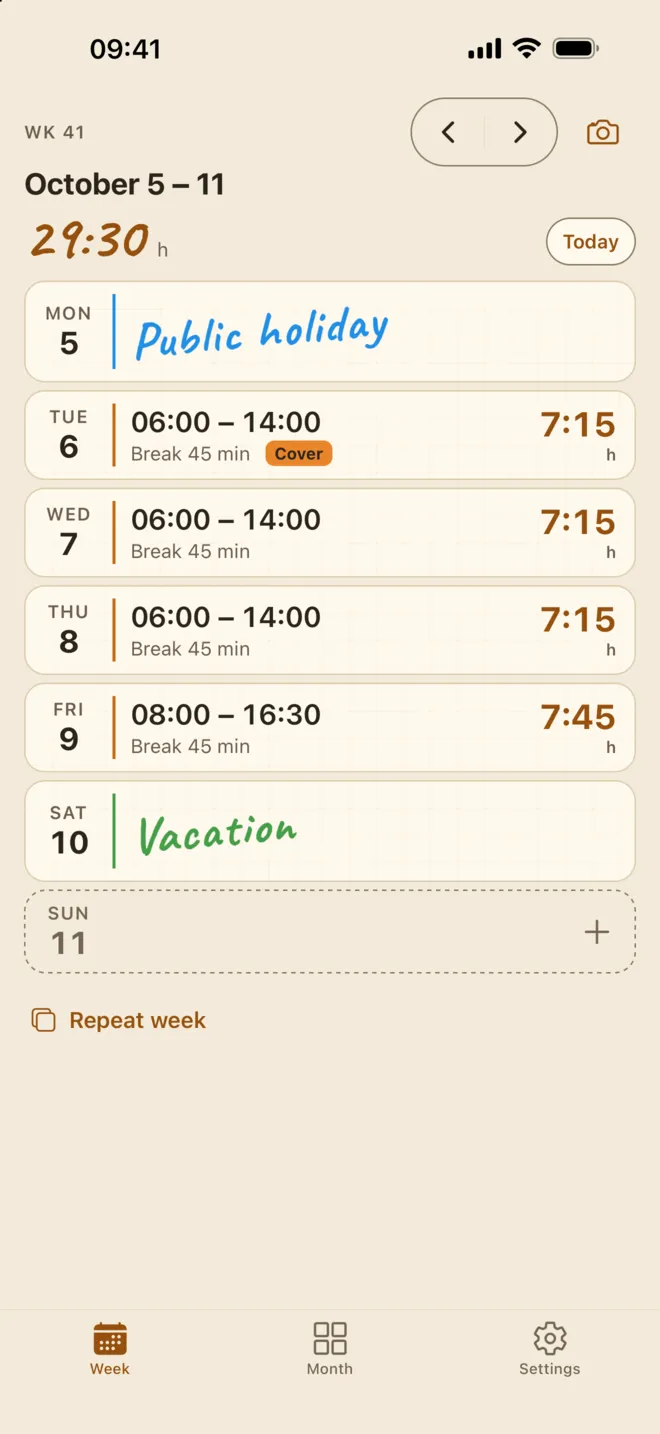
If filling in a sheet every month gets old, the Taime time tracking app for shift workers keeps the same record on your iPhone, adds an overtime balance and extra pay tags, and exports the month as a PDF. The Taime Time Tracker home page lists everything it does.
Frequently asked questions
Is the template really free?
Yes. Both the download and the online generator are completely free – no sign-up, no email, no watermark, no ads.
Is my data uploaded anywhere?
No. The PDF is generated directly in your browser. Names and working hours never leave your device; they are only saved locally in your browser so you can pick up where you left off.
Is a self-kept timesheet legally valid?
Your own records are recognised evidence in many jurisdictions, especially in overtime disputes. The more complete (dates, start, end, breaks, signatures), the stronger it is. For binding answers, consult a lawyer.
Can I create a template for any month?
Yes – pick a month and download. The template adapts automatically: correct number of days, correct weekdays, shaded weekends.
How do I record a night shift that ends after midnight?
Use the row of the day the shift starts, for example 22:00 to 06:00. The online generator recognises that the end falls on the next day and calculates the hours correctly.
How do I convert minutes to decimal hours?
Divide the minutes by 60: 15 minutes is 0.25, 30 minutes is 0.5, 45 minutes is 0.75. So 7 hours 45 minutes is 7.75 decimal hours.
Does my employer have to sign my timesheet?
Usually there is no legal requirement, but a countersigned sheet is much stronger evidence because it shows the employer knew about the hours.
Related
- Time tracking app for shift workers Log hours, breaks, overtime and extra pay on your iPhone every day.
- Taime Time Tracker overview Features, privacy and what is free.
General information, not legal advice. Rules as of October 2026; they vary by country, state and contract.
Filling this in every month? There is an easier way.
The Taime app records your working hours right on your iPhone – offline, no account – and exports your monthly record as a finished PDF. No paper, no retyping.

Android testers wanted
Taime for Android is in Google Play closed testing – not a public launch. Joining takes three steps, and all you need is the Google account signed in on your Android phone.
-
Join the Google Group
Join the tester group with the Google account that is signed in on your Android phone. Being in the group is what gives you access to the test.
Open the Google Group -
Become a tester
Open the test link on that phone and tap “Become a tester”. That signs you up for the test.
Open the test link -
Install from Google Play
Then find Taime on Google Play and install it as usual.

One request: please keep the app installed for at least 14 days. Google needs the test to run that long before Taime can go public on Google Play.
Google Play and the Google Play logo are trademarks of Google LLC.
Start counting today.
Every hour you log from today is an hour you can prove later. Free on the App Store, no ads and no account.