Your hours at a glance.
Monthly work hours, daily average and weekly trend – clear overview with PDF export.
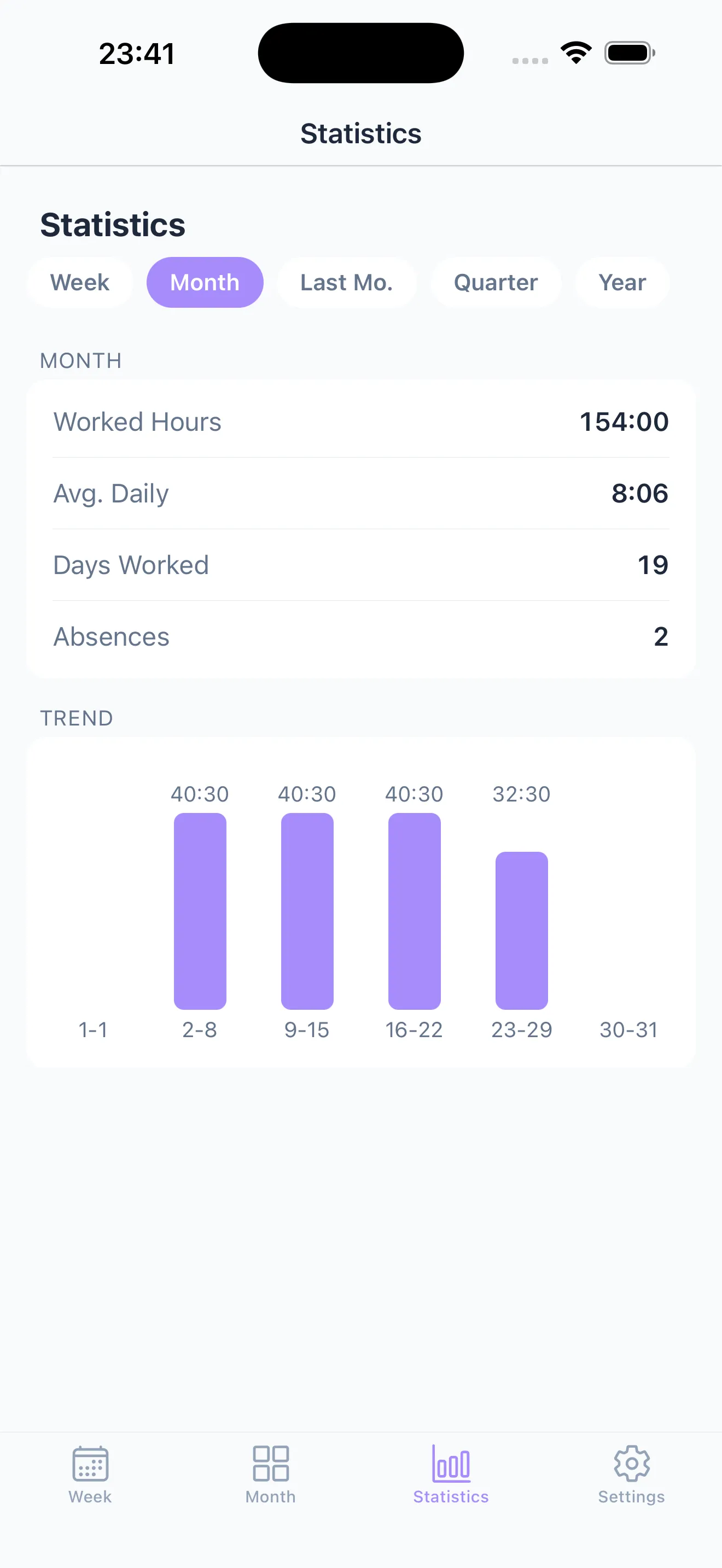
Monthly hour stats
See at a glance how many hours you worked each month.
Daily average
Find out how many hours you average per work day.
Weekly trend
Spot patterns in your work rhythm across weeks.
PDF record
Export your hours as a PDF – print it, keep it on file or set it against your payslip.
Statistics dashboard
Stay on top of your hours: monthly totals, daily average, work days, absences and weekly trend – all at a glance. The dashboard is part of Taime Premium.
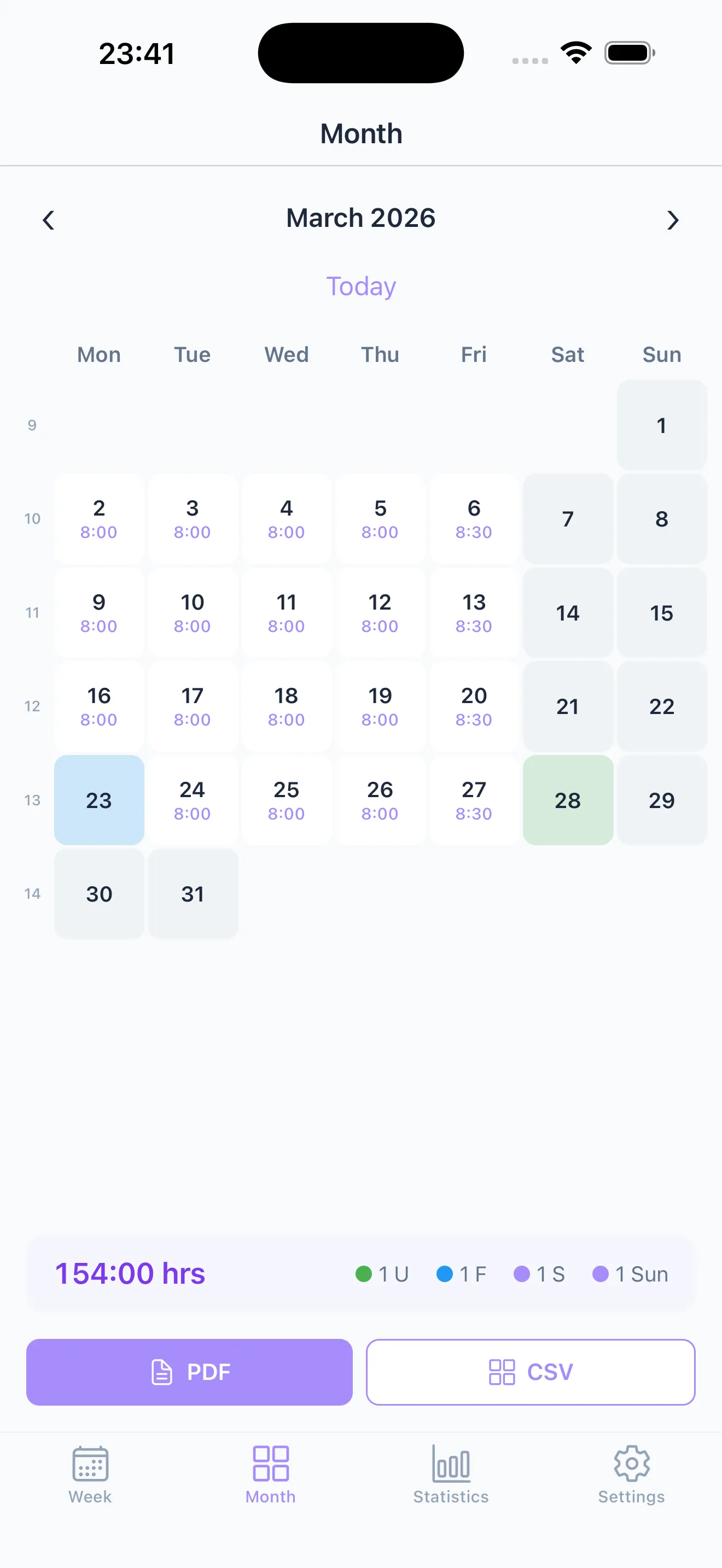
Month view & PDF export
Your month as a calendar. Export it all as a PDF – print it, hand it in or hold it against your payslip.
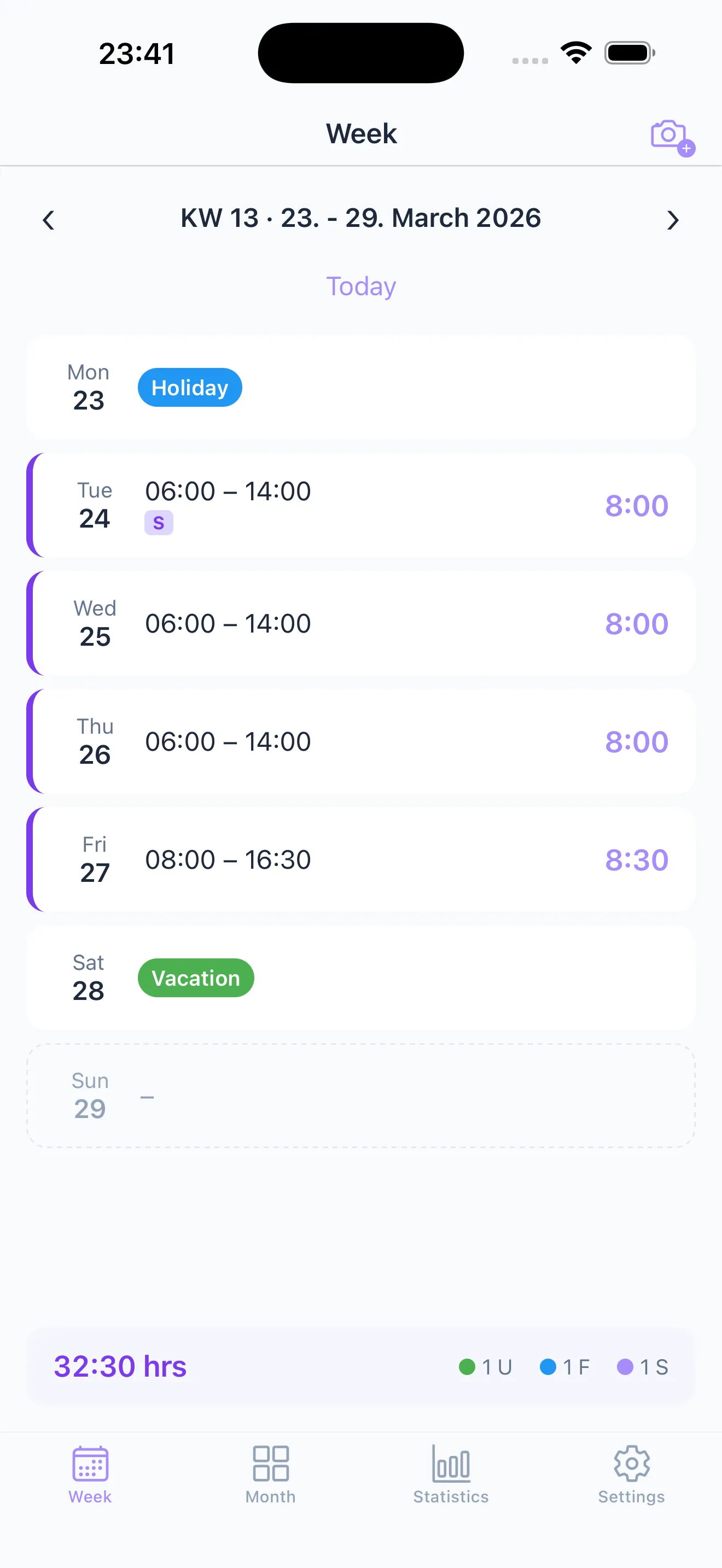
Week overview
All shifts at a glance. Tap a day to enter your times – quick and clear.
Frequently Asked Questions
How are hours calculated?
Taime automatically calculates the difference between start and end time for each day and sums up hours per month.
What trends can I see?
You can see the weekly trend of your work hours – spot patterns and overtime at a glance.
What statistics are available?
Monthly totals, daily average, work days, absences and weekly comparison.
Can I export the statistics?
Yes, export your monthly overview as a PDF. Print it, keep it for yourself, hand it in, or use it to check the hours on your payslip.
Become a Taime tester for Android
The Android version is almost ready. Sign up and get early access to the beta – before the official launch.
You'll receive an email with beta access as soon as testing begins.
Ready for stress-free time tracking?
Free to start, upgrade to Premium anytime.