Your shift schedule. Finally digital.
Track hours, tag surcharges, export PDF – completely offline, no account, no cloud.
Sound familiar?
One app. Everything covered.
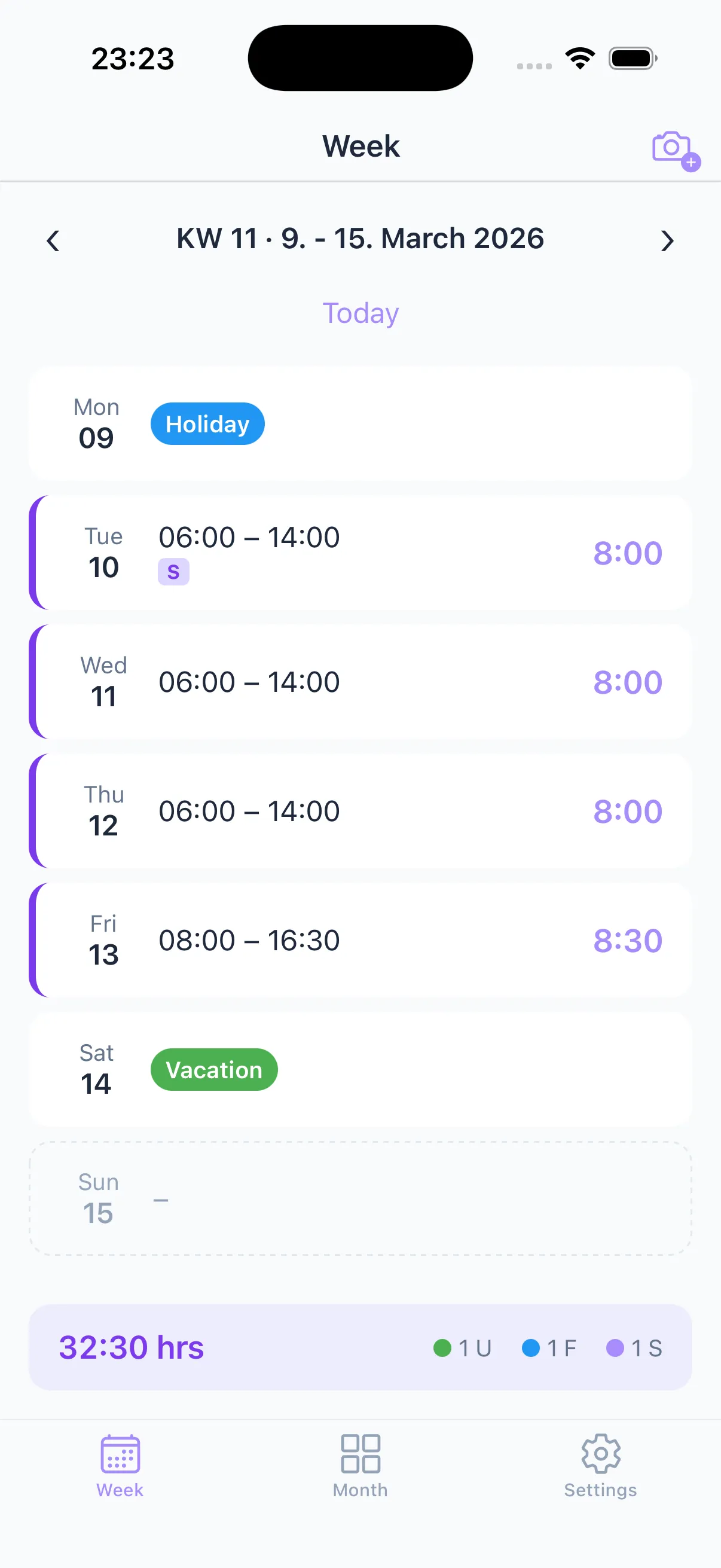
Week overview
All shifts at a glance. Tap a day to enter your times – quick and clear.
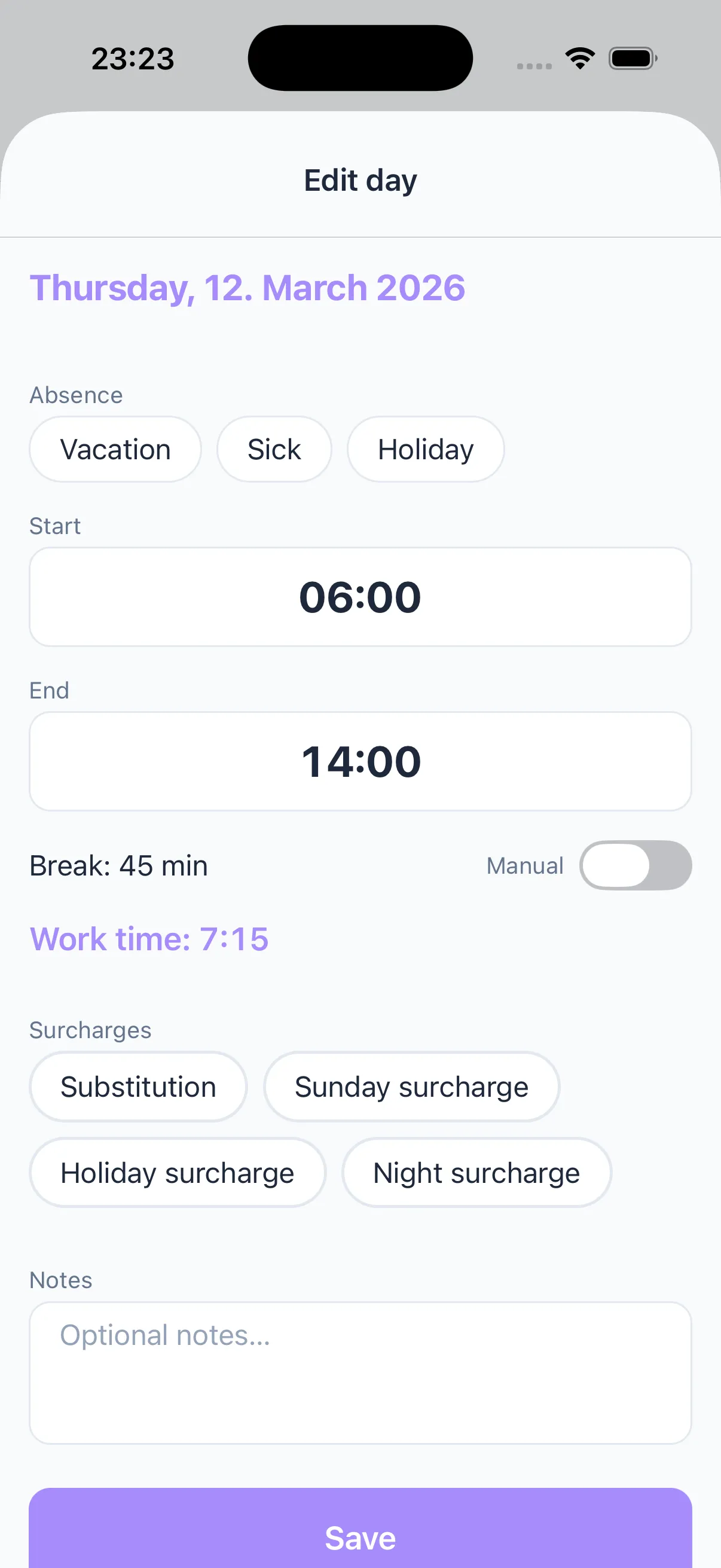
Surcharges & substitution
Substitution, Sunday bonus, holiday, night shift – tagged with a single tap. Never forget again.
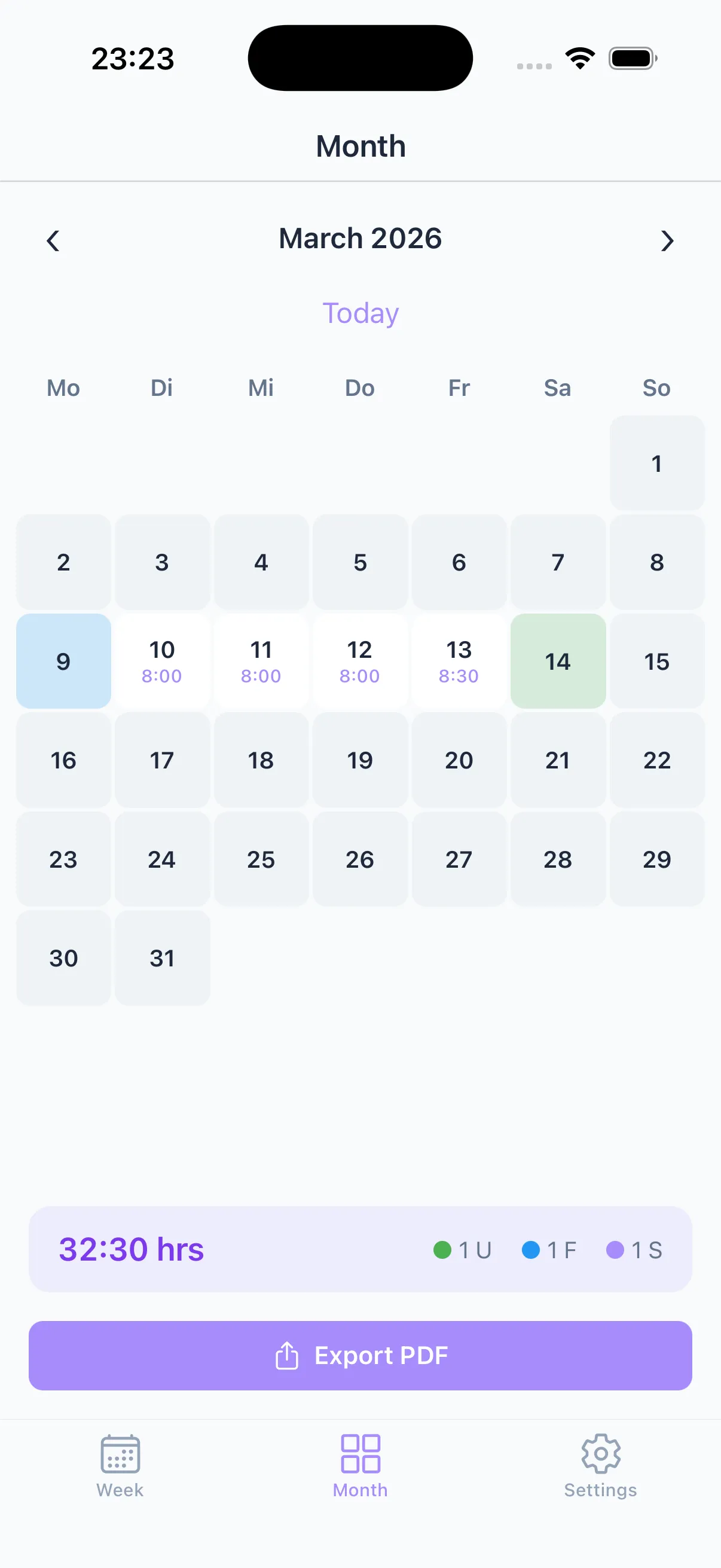
Month view & PDF export
Your month as a calendar. Export everything as PDF for your employer – done in seconds.
Photograph your schedule
Take a photo of your shift schedule – Taime reads the times automatically via OCR. No more typing.
Your data stays yours.
All data stays on your phone.
No account. No registration.
No tracking. No ads.
No cloud. No server.
Frequently Asked Questions
What does Taime cost?
Taime is free to use – tracking hours, managing shifts and exporting PDFs works without paying. For extras like custom surcharge types, all color themes, full OCR import and watermark-free PDFs, there's Taime Premium from €0.99/month.
Do I need an account or internet connection?
No. Taime works 100% offline. No account or registration needed.
How do I track my working hours?
Simply tap on a day and enter your start and end times. Tag surcharges like night shift or Sunday bonus with a single tap.
Can I photograph my shift schedule?
Yes! Take a photo of your shift schedule and Taime reads the times automatically via OCR – no typing required.
Is my data safe?
Absolutely. All data stays exclusively on your iPhone. No server, no cloud, no tracking.
Ready for stress-free time tracking?
Free to start, upgrade to Premium anytime.